
How do I relocate my NBN service to a new address?
Estimated Reading Time: 2 MinutesIf you're moving to a new home and would like to transfer your NBN service, you can submit a relocation request through My Account or call us on 1300 303 375 for more information or to start the transfer process.
Please note: Relocation orders apply only to NBN-to-NBN service transfers. If you're switching to a different type of service (e.g., wireless or mobile broadband), or if NBN is unavailable at your new address, you'll need to cancel your current NBN service and place a new order for an alternative service at the new location.
Steps on how to relocate your NBN service through My Account:
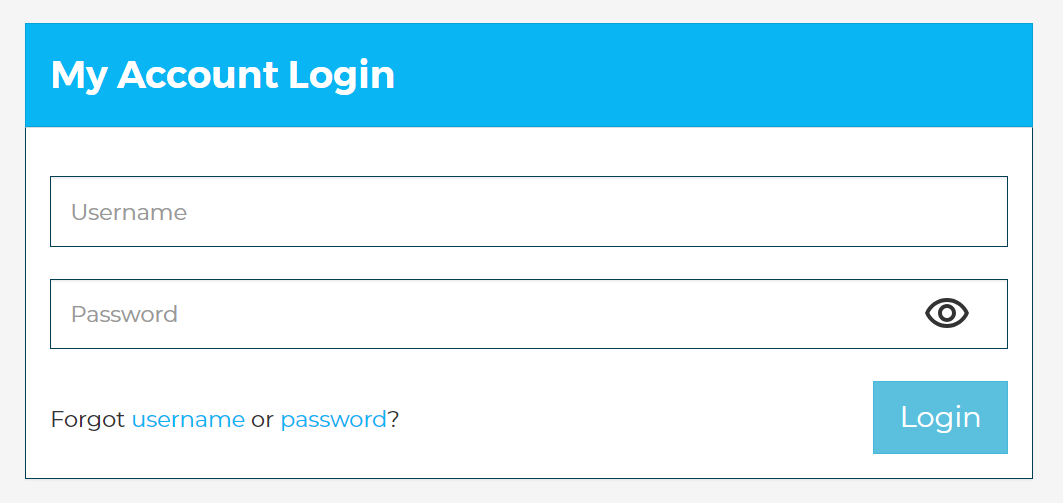
1. Log in to My Account using your username and password at https://www.spintel.net.au/my-account/login
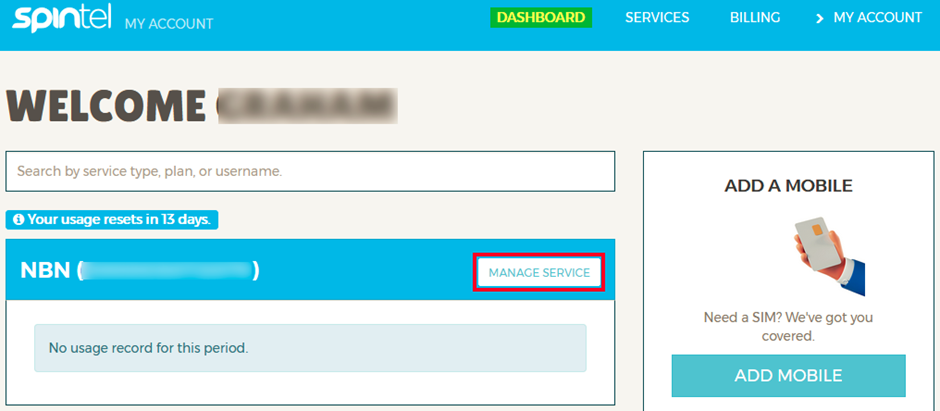
2. From the Dashboard, select Manage Service for the NBN service you want to relocate.
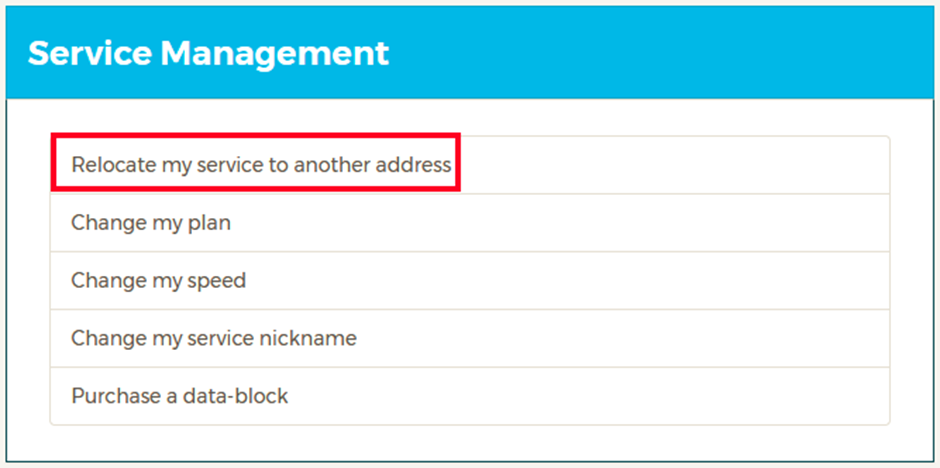
3. Under Service Management, click Relocate my service to another address.
4. Enter your new address and select the correct address from the list.
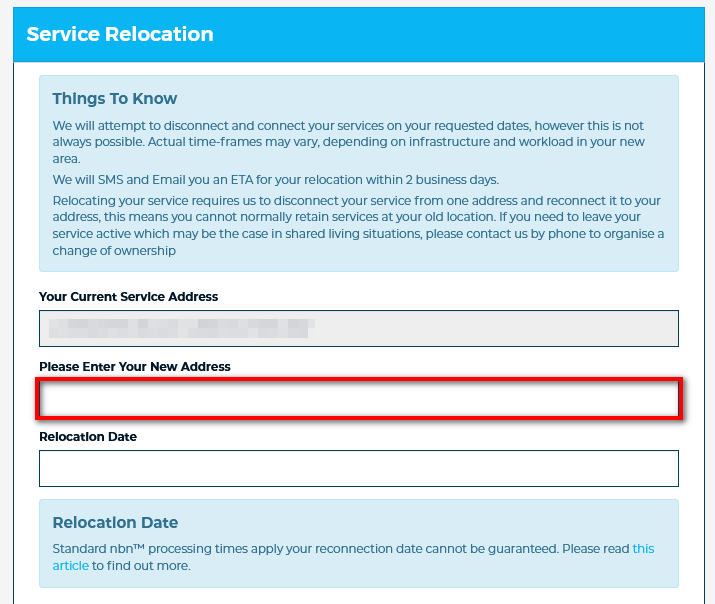
5. Choose your preferred relocation date.
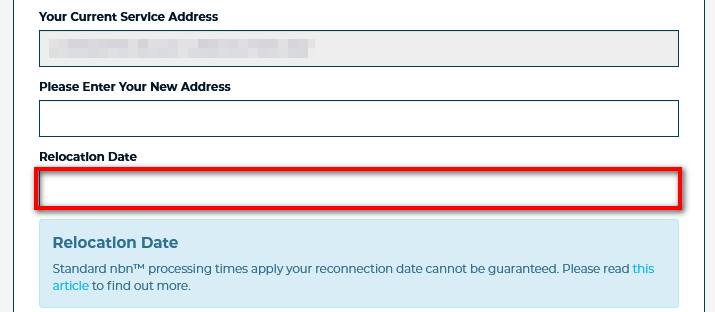
6. For "Did one of our staff members help you with your order?", select No if you completed the request yourself, then select None as the Sales Channel. If a SpinTel staff member assisted you, select Yes, then choose the appropriate Sales Channel and the representative's name from the available list.
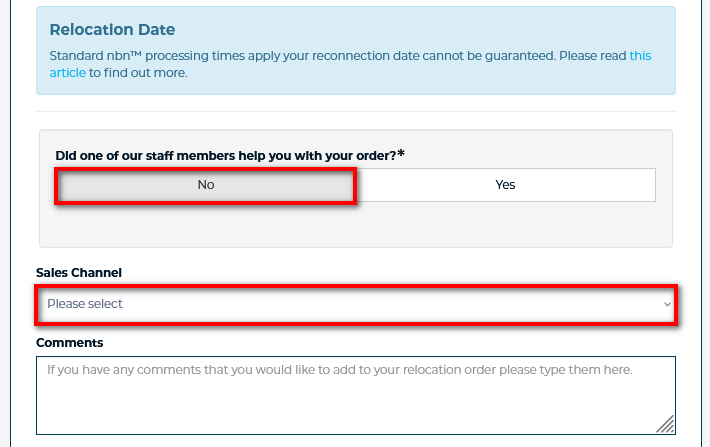
Add a note in the comment box if you have any comments about your relocation order.
7. Review your contact details and update if it has changed. We’ll send notifications about the relocation to the contact details on your account; you can update them if required. Ensure your billing address is updated to your new address, if required, as we’ll use that address to send any legal notices or other communications by post if needed.
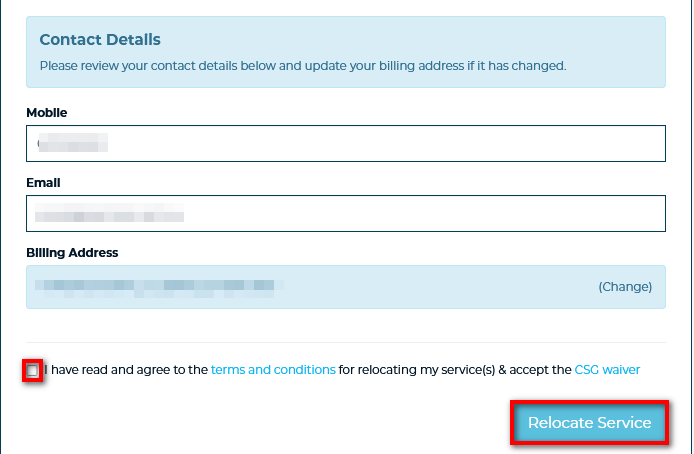
Tick the box if you agree to the terms in relocating your service and hit Relocate Service.
Note: You will receive a confirmation email and SMS with the order number and other important details. Please check your Junk Items and contact us if there are any errors.
Some services take longer than others to provision so ensure you’ve given us sufficient time to process your request. We rely on the infrastructure owners such as Telstra, Optus or nbn and there is generally a process which needs to take place.