
Ekiga for Windows Setup
Estimated Reading Time: < 1 MinuteGo to ekiga website and download the latest version of the application.
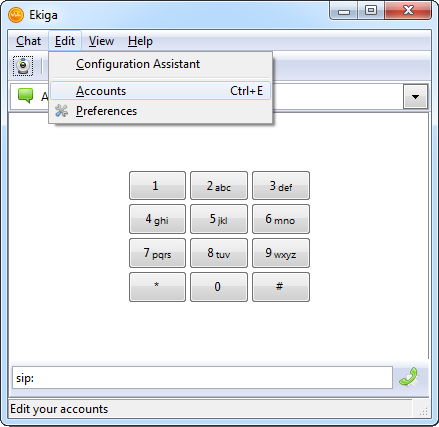
1. Click on "Edit - Accounts"
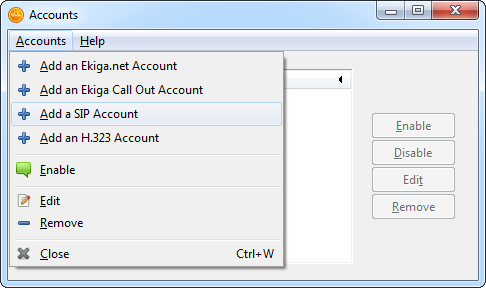
2. Choose "Add a SIP account"
3. Enter the following settings:
Name: (Your SIP number)
Gatekeeper: 203.23.236.96
User: (Your SIP number)
Authentication user: (Your SIP number)
Password: (Your SIP number password)
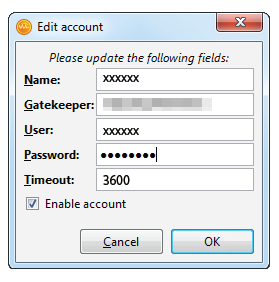
Check the "Enable account" box and press "OK".
4. Status should appear as "Registered"
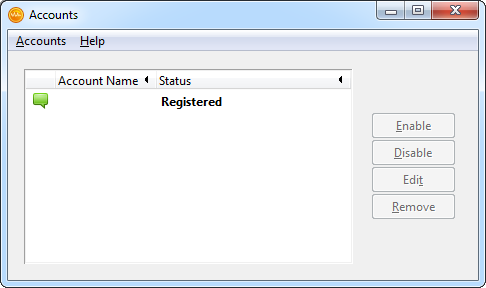
Ekiga is set, and you can make calls.