
Linphone for Windows Setup
Estimated Reading Time: < 1 Minute1. Download Linphone here and install it.
2. After the successful registration, launch Linphone and go to "Options", "Parameters".
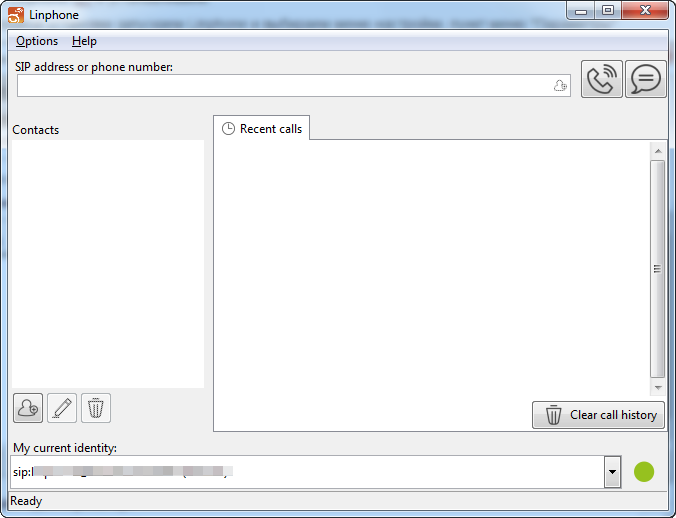
3. Select "Manage SIP accounts" and click "Add".
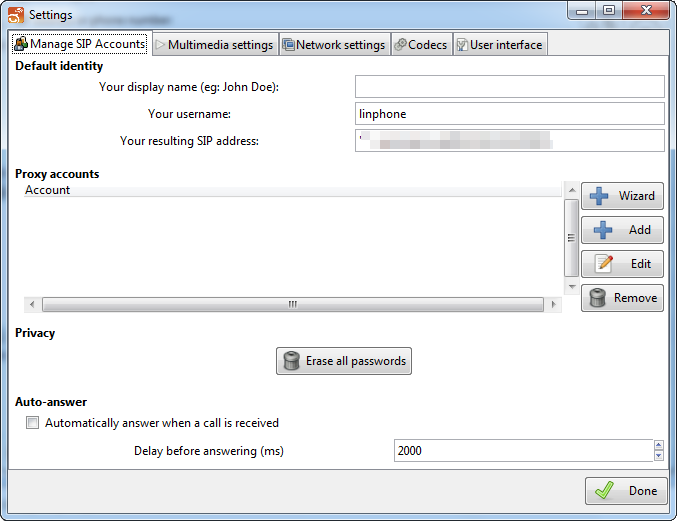
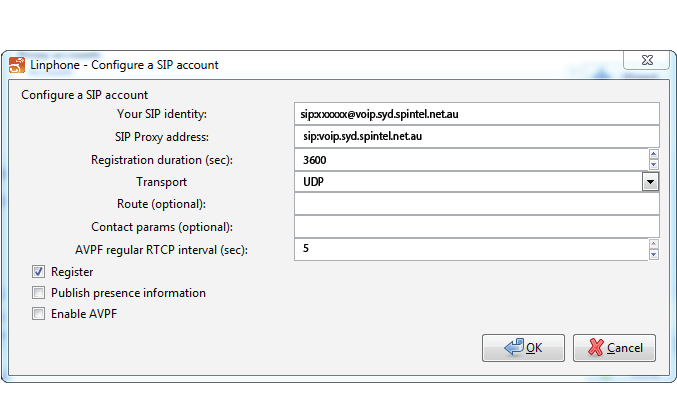
4. Enter the following settings and click "OK".
SIP Identifier: xxxxxx@voip.syd.spintel.net.au (replace xxxxxx with your SIP number)
SIP-proxy address: voip.syd.spintel.net.au
Registration timeout: 300
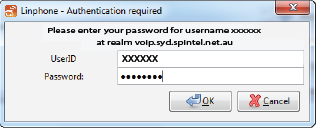
Enter the SIP number, password, and click "OK".
5. Click "Done".
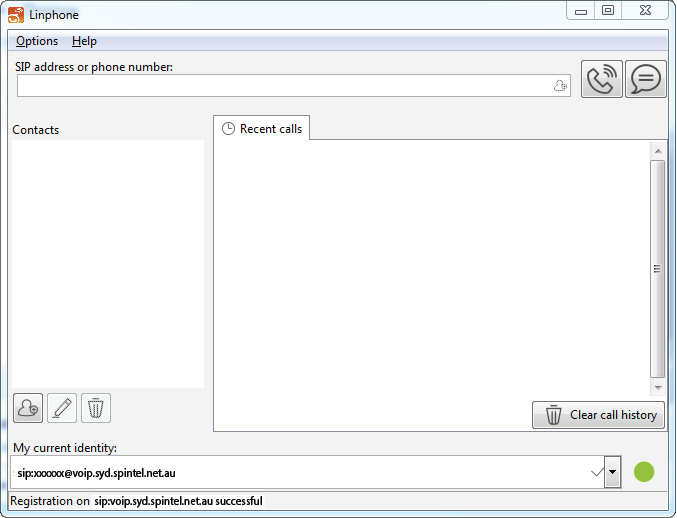
6. If settings are correct, the "Registration is successful" message will appear at the bottom of the page.