TP-Link VB433v Modem Router Guide
Estimated Reading Time: 2 MinutesIntroduction
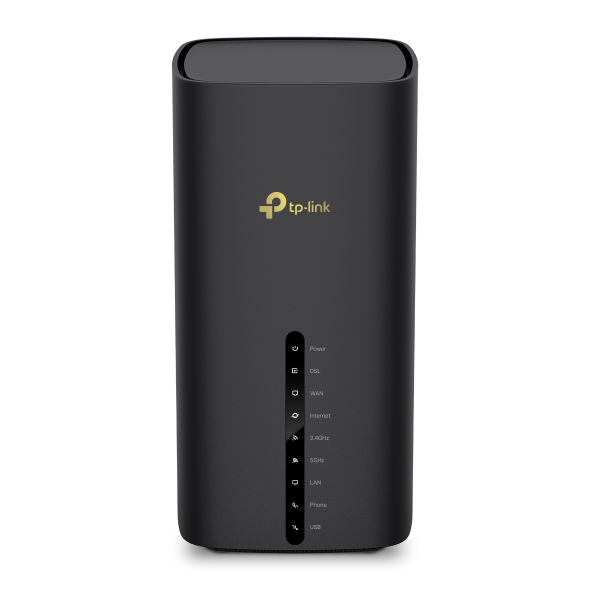
The TP-Link VB433v is a high-performance BE7200 Dual-Band Wi-Fi 7 VDSL Modem Router designed for homes and businesses requiring fast, reliable internet connectivity. Combining an advanced VDSL modem, Wi-Fi 7 technology, VoIP support, and multi-gigabit networking, the VB433v delivers exceptional performance for streaming, gaming, remote work, and smart home devices.
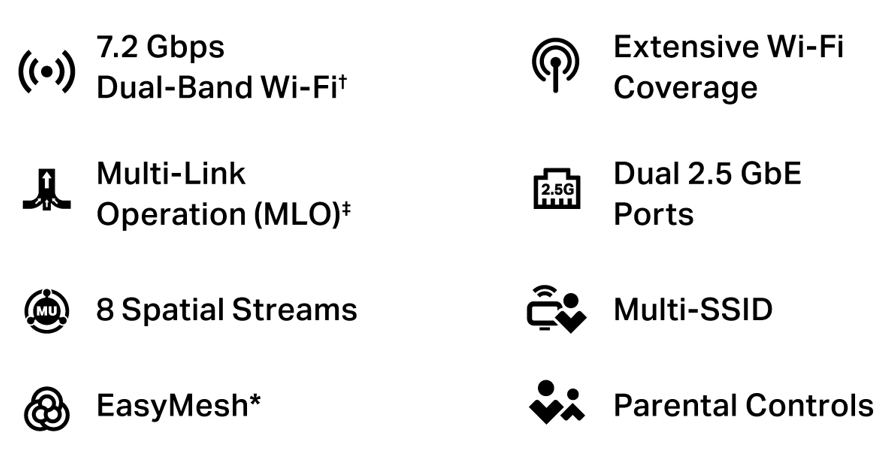
Key Features
Hardware Specification
Frequency & Antenna
- 2.4 GHz(4x4) and 5 GHz(4x4)
Signal Speed Rate (with 4x4 antenna client)
- Up to 5760 Mbps @5 GHz
- Up to 1376 Mbps @2.4 GHz
MLO multi-radio Speed Rate (with 4x4 antenna client)
- Up to 7136 Mbps @5 GHz + 2.4 GHz
Wireless Security
- WPA2-WPA3-Personal, WPA3-Personal,
- Enhanced Open
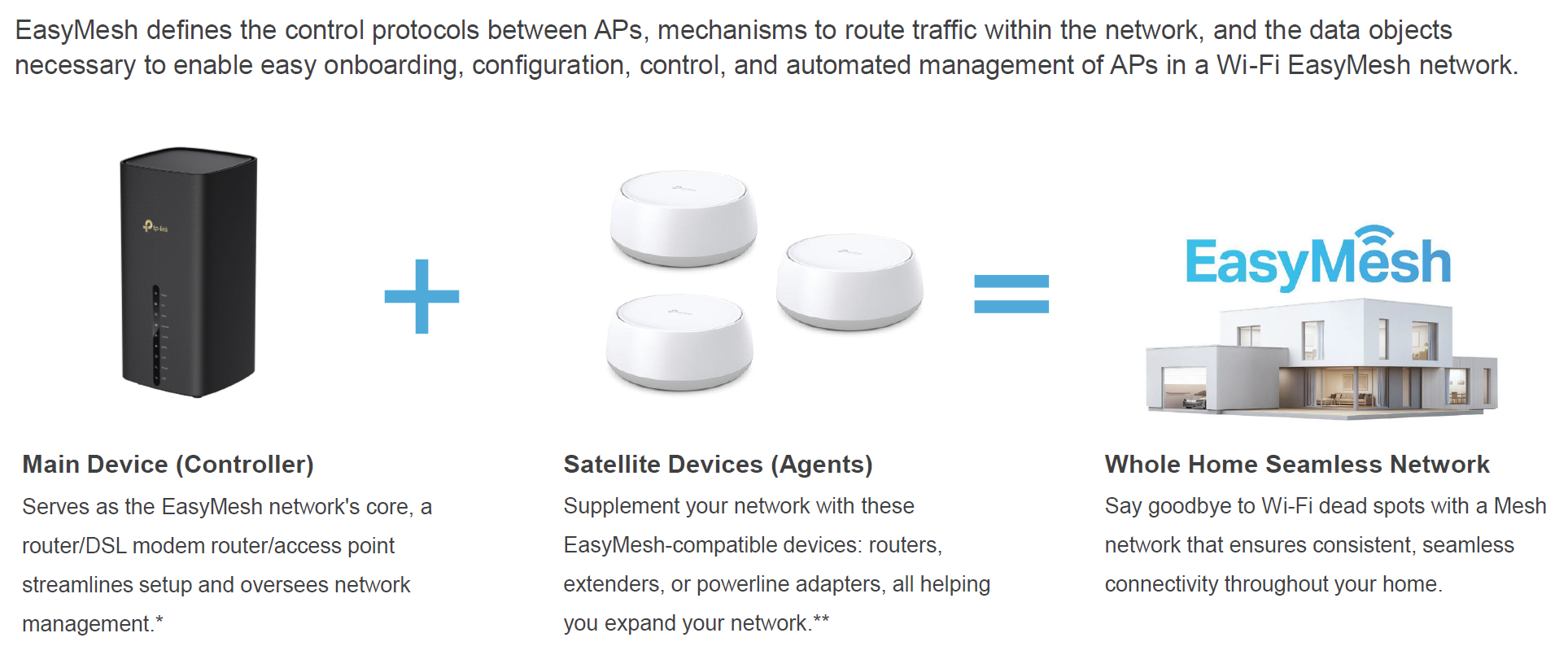
EasyMesh for whole home mesh coverage
- IEEE 802.11k/v/r, Self-healing, Seamless Roaming
Wireless Standards
- IEEE 802.11a/n/ac/ax/be
Interfaces
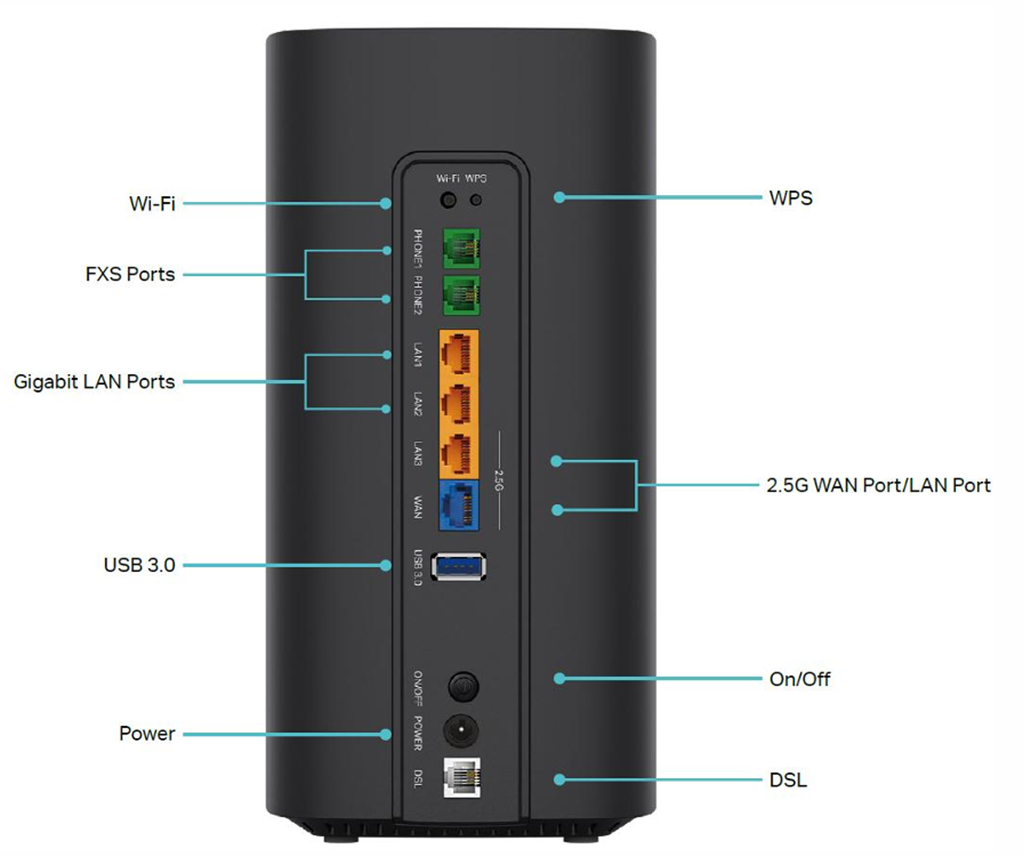
- 1× DSL port
- 1× 10/100/1000/2500 Mbps WAN Port
- 1× 10/100/1000/2500 Mbps LAN Port
- 2× 10/100/1000 Mbps LAN Ports
- 1× USB 3.0 Port, 2× FXS Voice Ports
- Power Button, WPS Button, Wi-Fi Button, Reset Button
Installation Guide
Before You Begin
Ensure you have:
- TP-Link VB433v modem router
- Power adapter
- RJ11 DSL cable
- Ethernet cable
- Active internet service
Getting started with the VB433v is quick and straightforward:
Step 1: Connect the Service
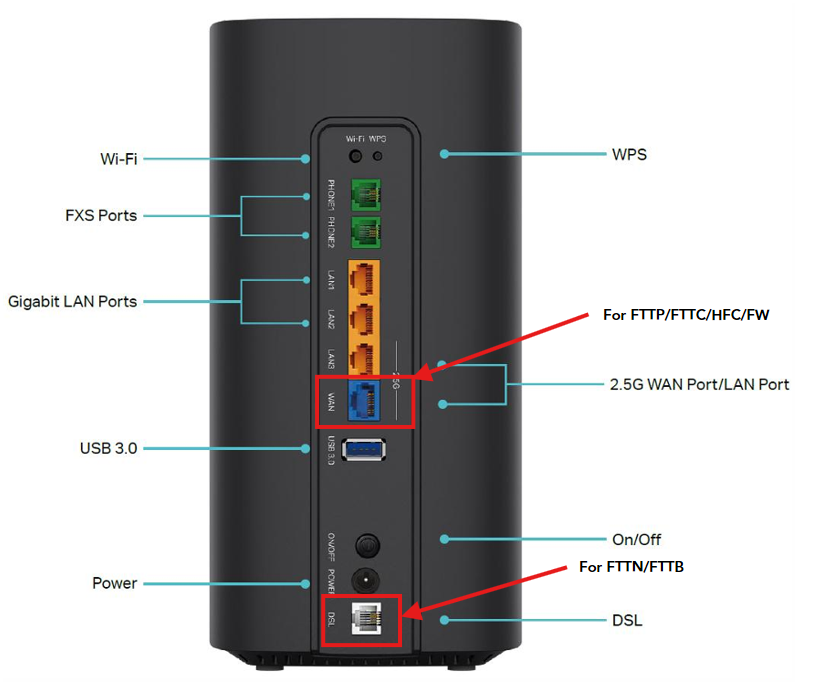
- For FTTN or FTTB services, connect the DSL cable from the wall socket to the router's DSL port
- For FTTP, FTTC, HFC, or Fixed Wireless services, connect an Ethernet cable from the NBN connection device to the router's WAN port
Step 2: Power On
- Plug in the power adapter
- Press the power button and wait for the device to fully boot up
Step 3: Connect Your Device
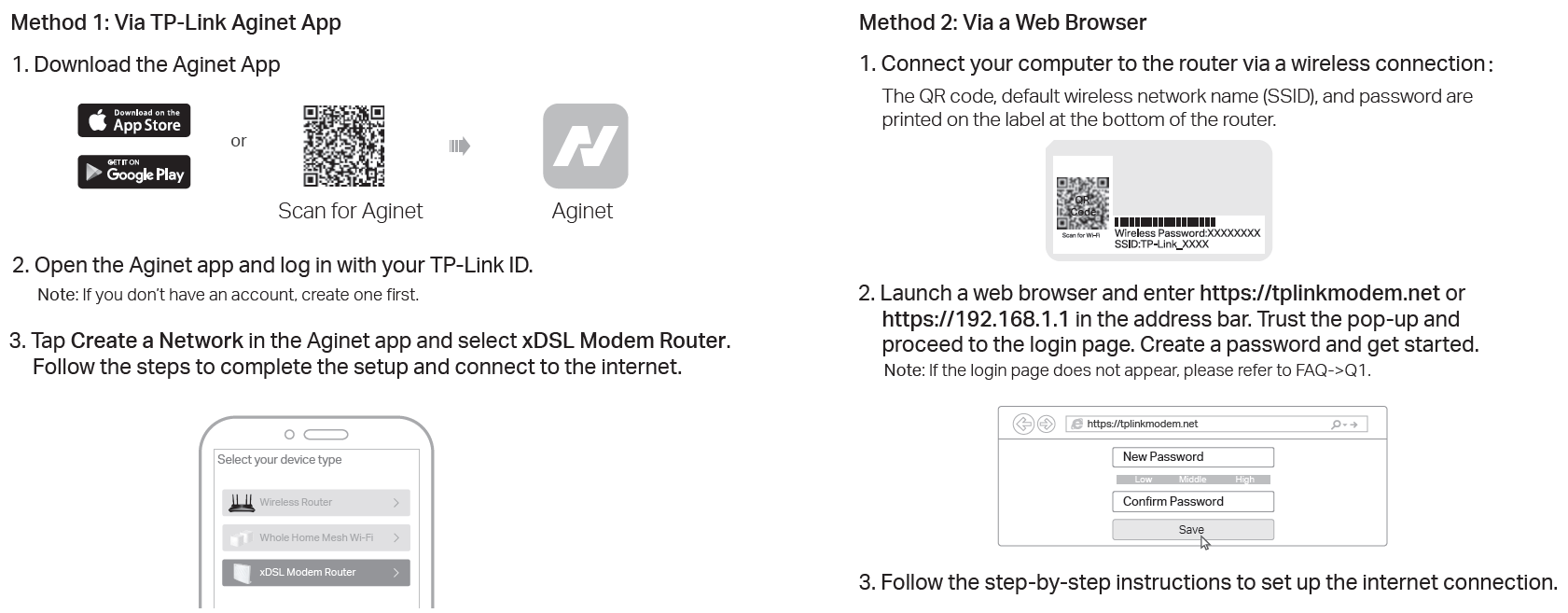
Use the Wi-Fi name and password found on the label, or connect via Ethernet cable
Step 4: Confirm Connection
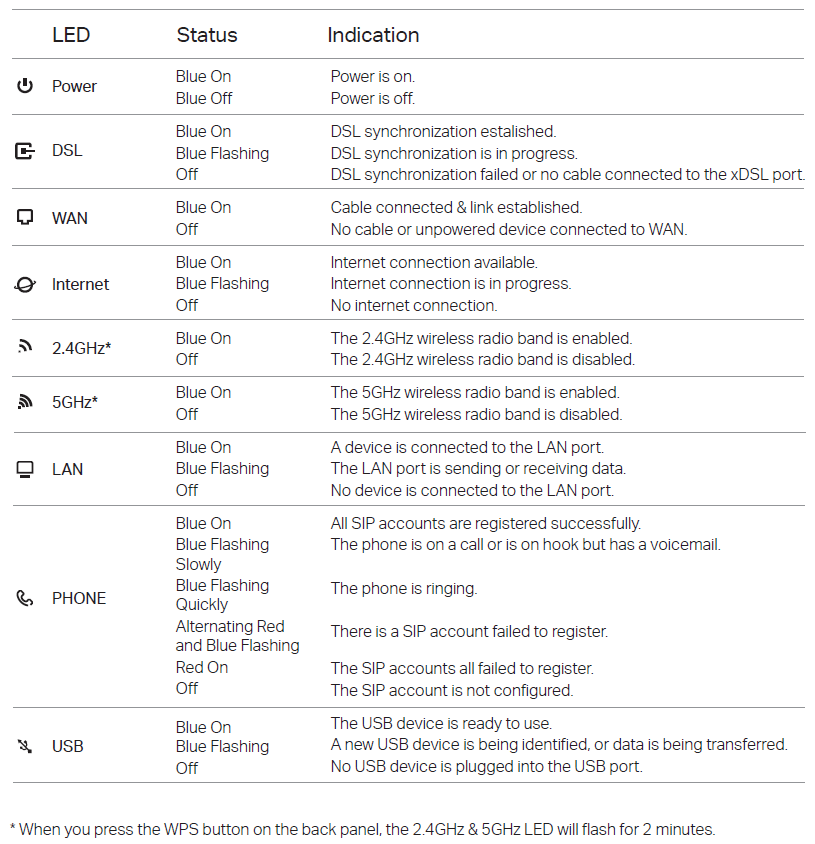
- Wait for the Internet light to become stable
- Test browsing or run a speed test to confirm your connection is working
The VB433v is pre-configured for plug-and-play operation, so no additional setup is required for most services.
Expanding Coverage - EasyMesh