
How to Sign Up for an eSIM with SpinTel
Estimated Reading Time: 2 MinutesAll SpinTel mobile plans are compatible with eSIM. If you’d like to use one instead of a physical SIM, please make sure your device supports eSIM before placing an order. For new accounts, an upfront payment for the monthly plan you choose may be required.
Steps to order an eSIM:
1. Visit the Mobile section on the SpinTel website.

2. Select your preferred plan and click Buy Now.

3. Enter your email address, then click Proceed to Checkout.

On the Secure Checkout page:
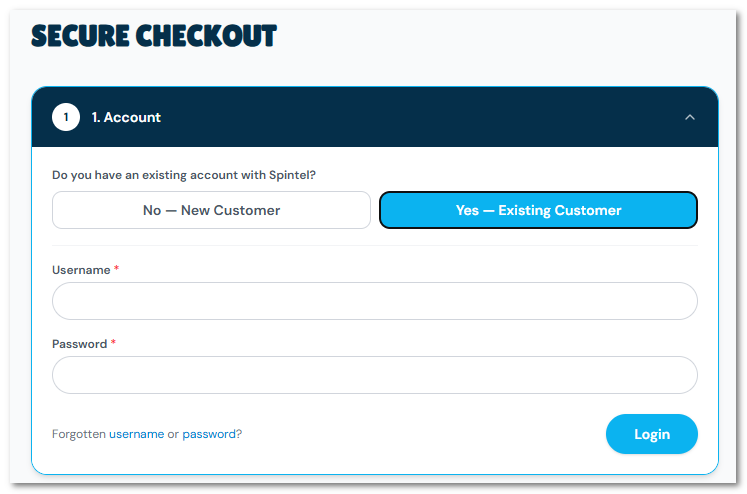
- If you want to add this order to your existing account, choose Yes - Existing Customer on "Do you have an existing account with SpinTel" and you’ll be asked to log in.
- If you’re creating a new account, choose No - New Customer, and you’ll be asked to complete a short form.
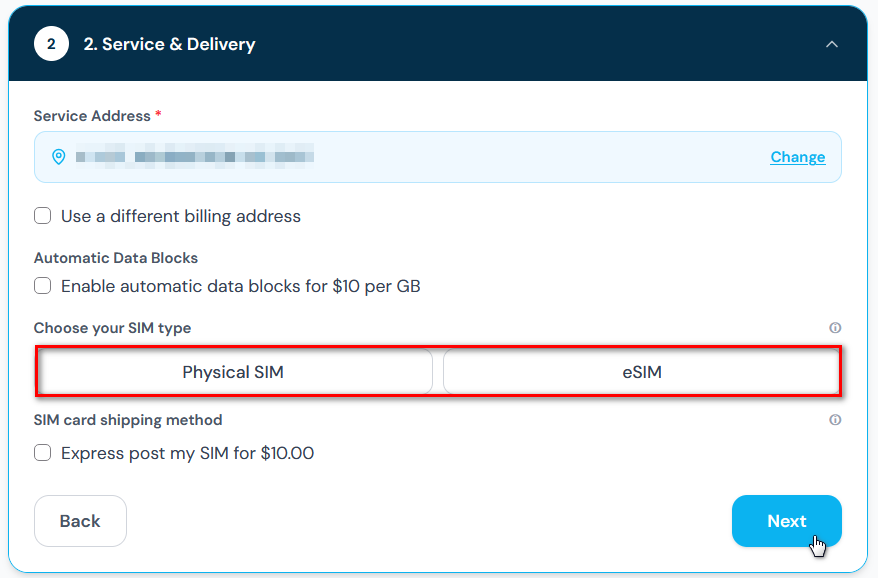
4. Enter your service address and select the matching result. Choose eSIM from the SIM type and hit Next.
5. Provide your monthly payment method, review your order, accept the Terms and Conditions, and click Submit.
What Happens Next:
- Once your request has been submitted, you'll receive an order confirmation email.
- A separate email will be sent when your eSIM is ready for activation. Once you receive this email, you can activate your mobile eSIM through the activation page.
- A QR code will be sent to your registered email address shortly after activation. Note: If transferring a number, please wait until your current SIM no longer registers on the network before scanning and installing your eSIM.
- Follow the instructions in the email to scan the QR code and activate your eSIM on your device. For a complete guide, refer to this article.
If you experience any issues during activation, our support team will be available to assist. Call us at 1300 303 375 or initiate an online chat, and we'll be with you.